TLS + bearer auth
Every connection is encrypted and authenticated. The gRPC boundary speaks the muxr.v1 protobuf contract over fingerprint-pinned TLS with bearer-token auth.
Attach to your remote herdr and zellij sessions from your phone or tablet.
A Frust-native client that drives your herdr or zellij multiplexer over TLS-secured, bearer-authenticated gRPC — full session, tab, and pane control with touch-native gestures.
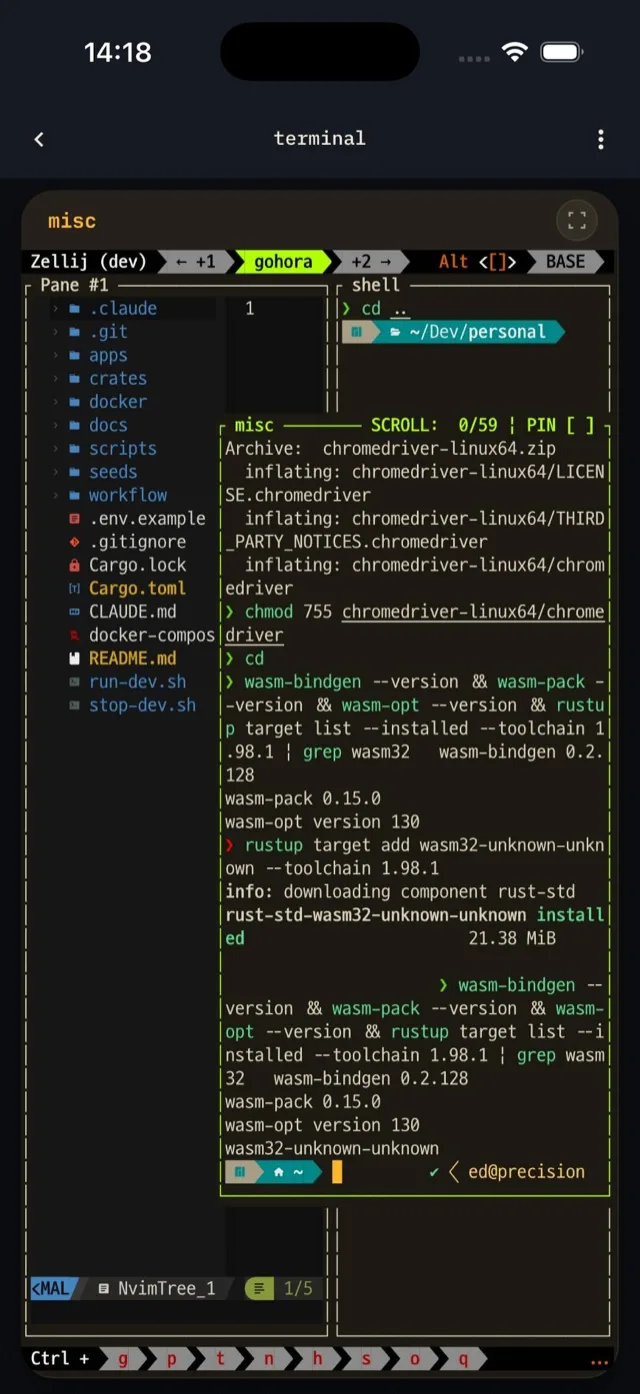
Everything you need to drive a herdr or zellij server from a touch device — secured, self-hosted, and open at the boundary.
Every connection is encrypted and authenticated. The gRPC boundary speaks the muxr.v1 protobuf contract over fingerprint-pinned TLS with bearer-token auth.
Pair from the setup TUI by scanning a QR. The code pins the server's TLS certificate fingerprint — cert-pinned trust, no manual cert wrangling.
Create, rename, and close sessions, tabs, and panes — or switch spaces on herdr. Drive the whole multiplexer, not just a single attached pane.
Tap to focus, tap again for the keyboard, long-press to fullscreen a pane, swipe back to peel immersive layers. A modifier key bar covers Ctrl, Alt, Esc, arrows.
On tablets a persistent 220 px pane rail lists tabs and panes alongside the terminal — collapsing to a 56 px icon mini-rail in immersive mode.
Mint per-device tokens, read-only or read-write — mutating RPCs fail closed on read-only. Saved credentials are gated behind a biometric unlock for one-tap reconnect.
Self-host the open-source backend, pair once, and you are driving herdr or zellij from anywhere on your network.
muxrd next to your herdr or zellij install — it auto-detects whichever is present. It binds 127.0.0.1:50051 by default — put the machine on your tailnet and bind its Tailscale address in the setup wizard.muxrctl setup wizard, mint a token, and scan the QR it shows. The code encodes the host, port and token; for a self-signed server it also pins the certificate fingerprint, and for a CA-signed server it uses system trust — no further prompts.The server relays over your multiplexer's native IPC — zellij's Unix-domain sockets or herdr's wire protocol — so what you see on the phone is the real session state.